Product designer crafting consumer tools that turn complex goals into structured, actionable workflows.
Selected work,
UX,
Visual
CC
Data-Informed UX / Onboarding /
Guided Workflows
2026
Product
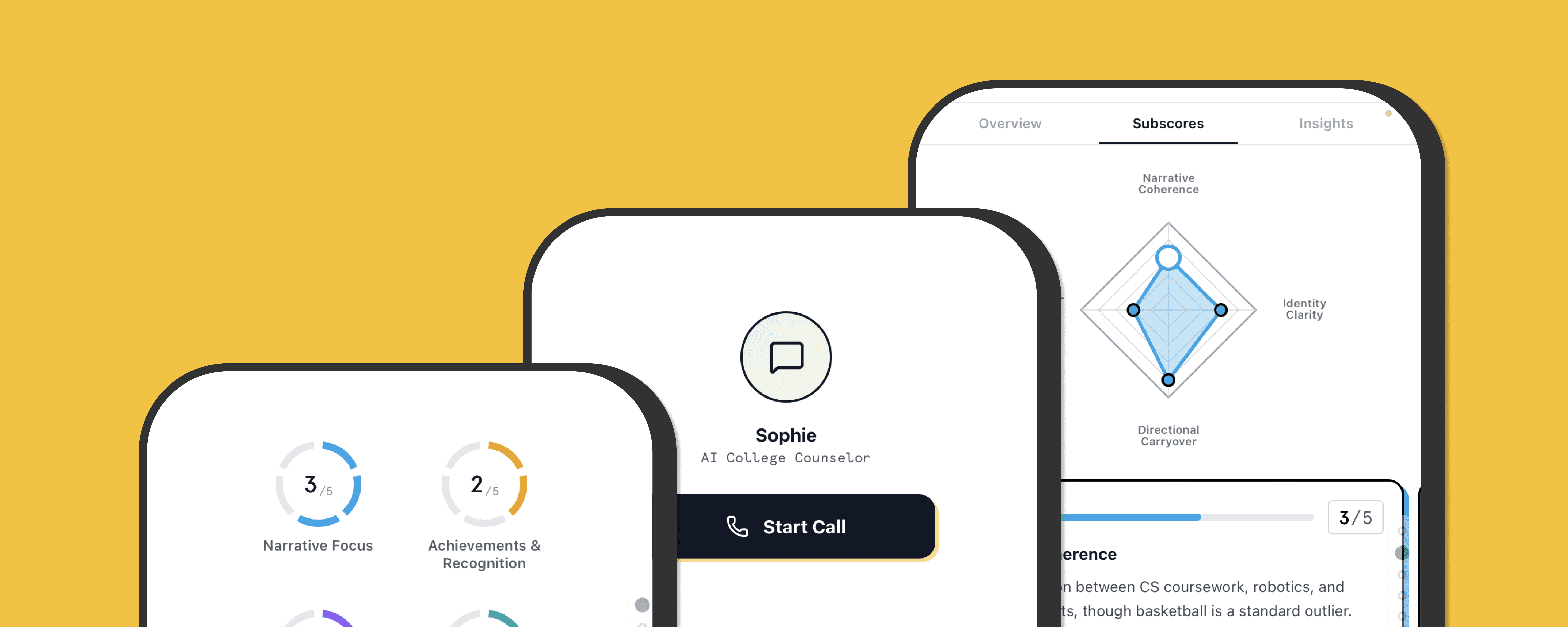
An early-stage platform helping students navigate college applications and turn goals into structured action
My Role
Defined user journey and problem space
Identified core design direction through pain points
Shaped end-to-end user flow
Iterated closely with PM through multiple prototypes
Provided UI and interaction refinements
Outcome
Transformed abstract student data into a structured planning system
Designed end-to-end user flow from onboarding → assessment → action
Helped shift the product from concept to a defined mobile experience
Context
The team had collected a large amount of student data, but lacked a clear way to use it effectively.
The initial idea was to build a platform that:
Leverages this data
Helps students better understand themselves
Supports college preparation
Problem
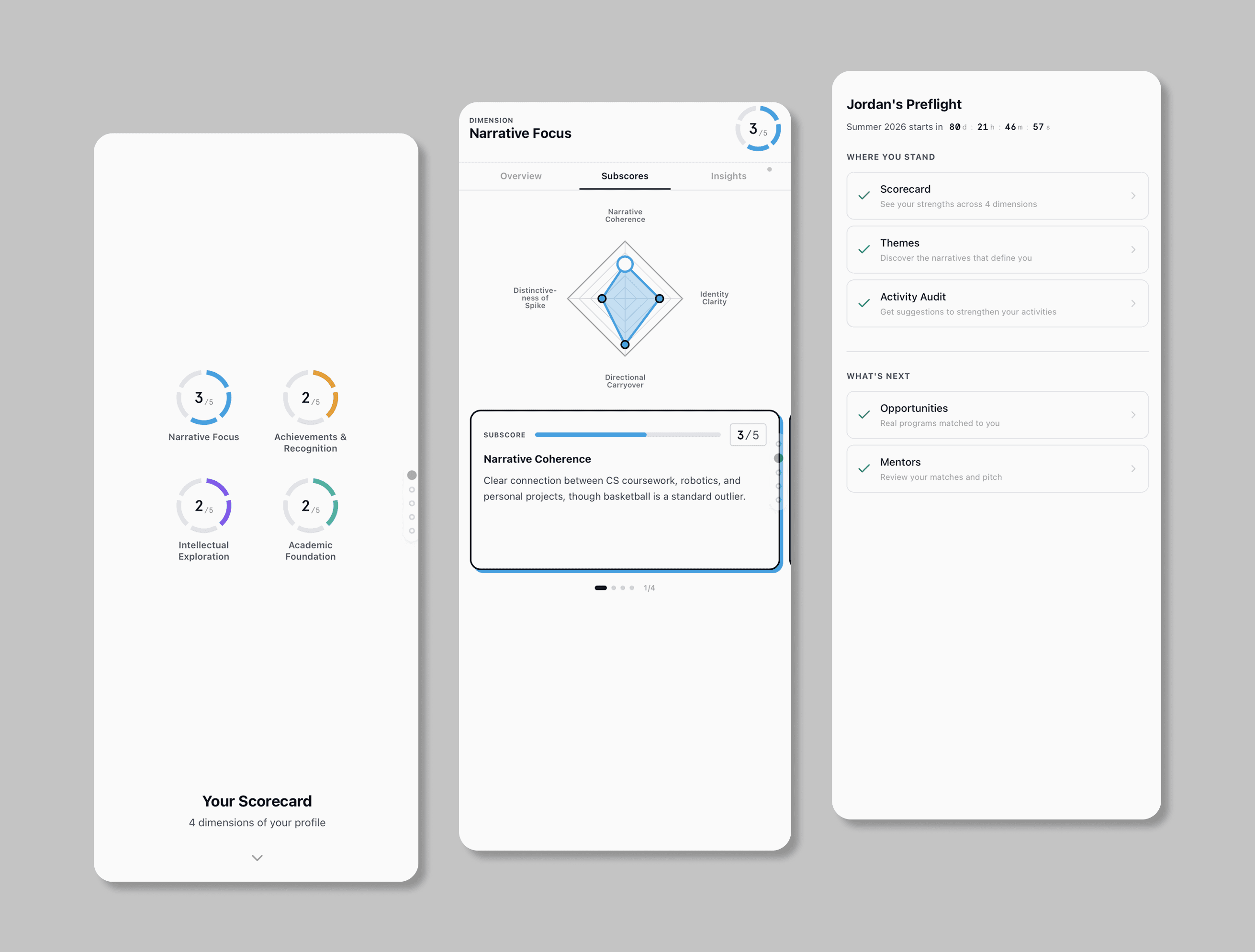
To understand where students struggle, I mapped out the full journey of planning for college.
Key pain points:
Students don’t know where they currently stand
Achievements feel fragmented and undervalued
The next steps are unclear and overwhelming
Design Challenge
How might we make a student’s current state visible, while guiding them toward meaningful next steps?
Core Solution
Visualizing Student State
From Data → Action
Agent-assisted Input
Visualizing Student State
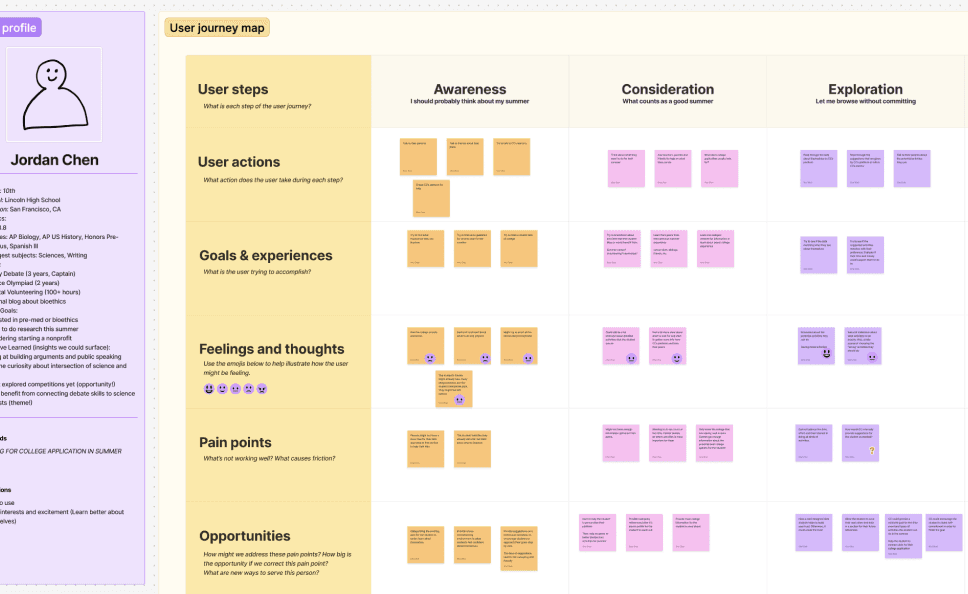
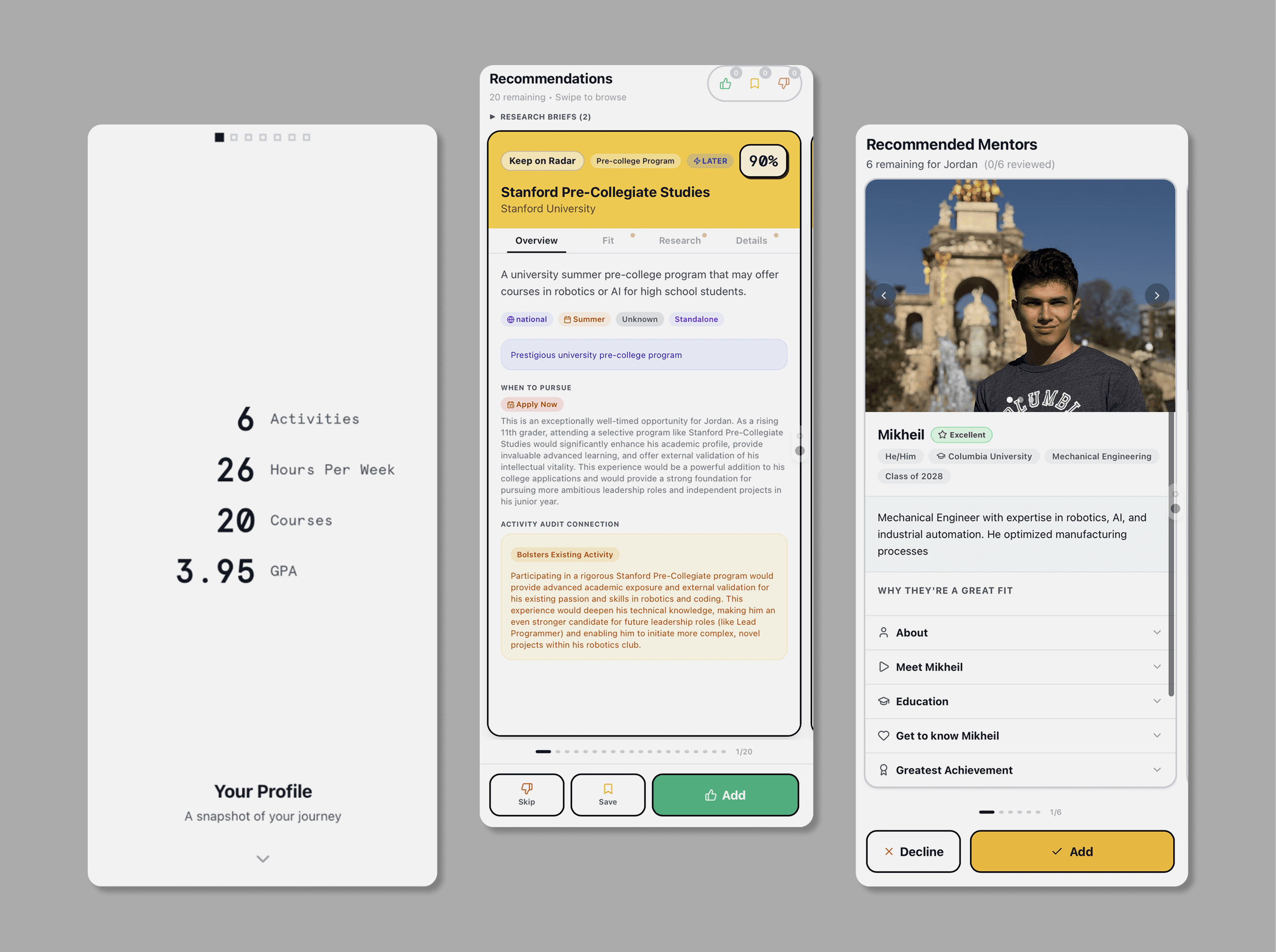
Designed a system to visualize student progress:
Aggregated achievements into a clear overview
Highlighted strengths to build confidence
Identified gaps and areas for improvement
From Data → Action
Turned data into actionable guidance:
Suggested next steps based on current state
Structured goals into manageable actions
Reduced uncertainty in planning
Agent-assisted Input
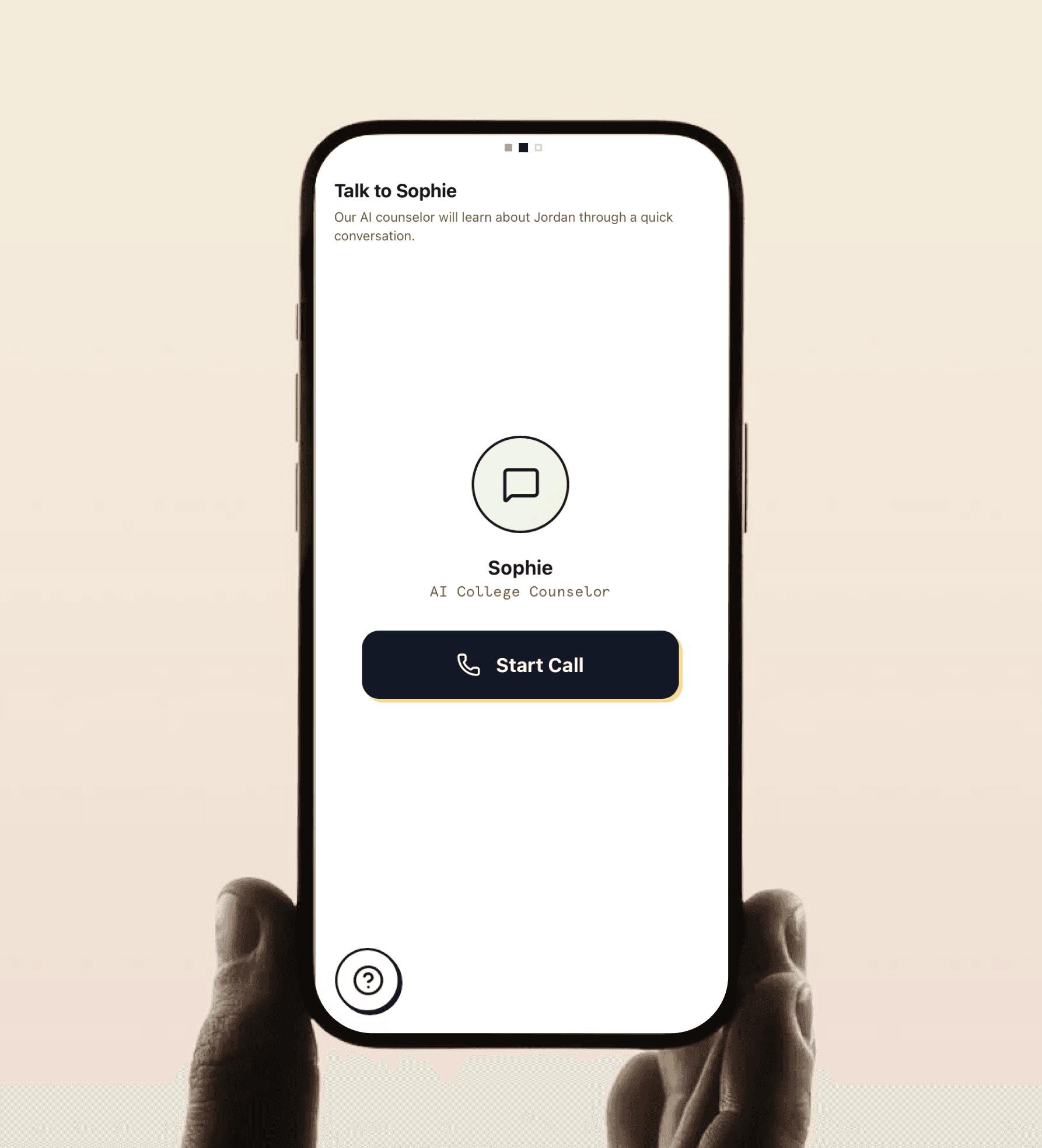
Introduced agent-based input to reduce friction:
Voice assistant helps students input information
Simplifies onboarding and data collection
Makes the process more accessible and less tedious
Userflow Evolution
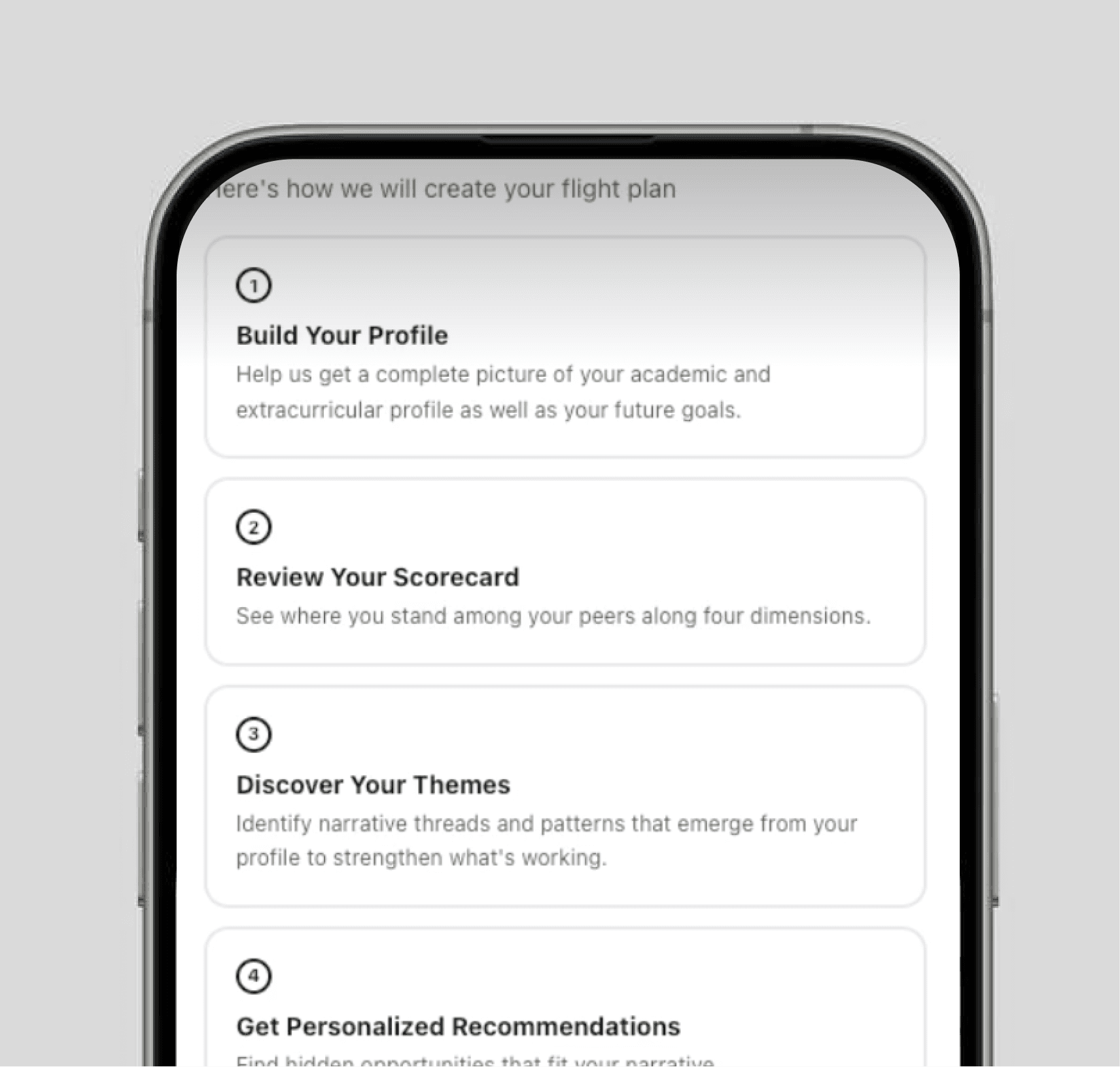
1. Quick Onboarding
Lightweight entry to reduce friction
2. Assessment
Students see their current status and scores
3. Discovery
Students take action based on recommendations
Dynamic Pathways
The system adapts based on user state:
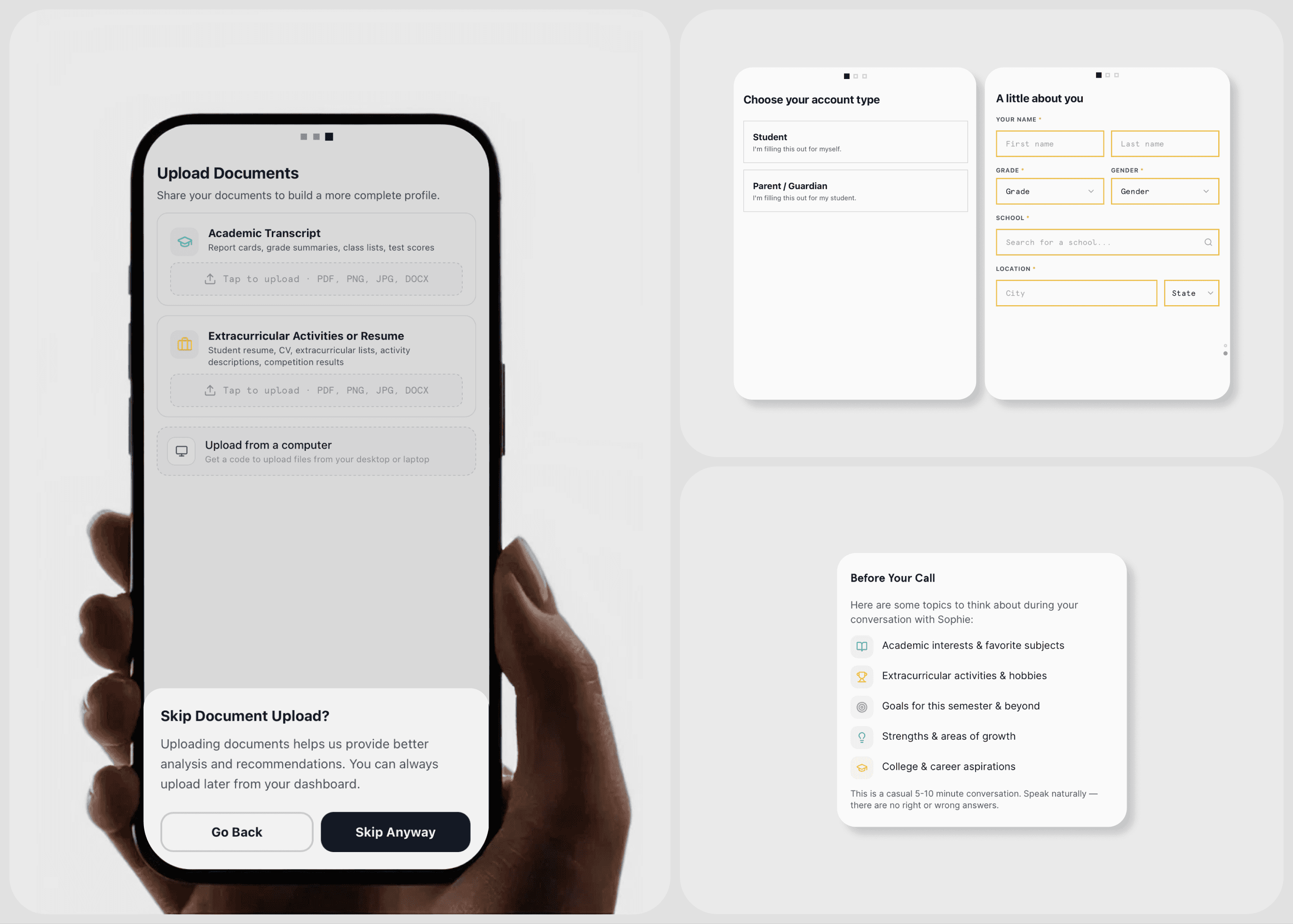
New users build their profile from scratch
Returning users receive tailored next steps
Each action reshapes the pathway forward.
Product Shift
Originally, the product targeted existing users with pre-filled data.
The direction shifted toward:
Supporting new users
Requiring users to actively build their own profile
This made onboarding and input design critical.
Reflection
This project taught me how to design from ambiguity.
Starting with unclear goals and unused data, I helped shape a system that turns information into clarity.
Good products don’t just present data; they help users understand themselves and move forward.