SaaS
Website / Creative Tool
Adobe sponsored Capstone
2025
We help designers minimize cognitive interruption during creative flow by visualizing the spatial structure of parent-child layer relationships, improving productivity and satisfaction within the creative tool, achieving increased task completion, higher NPS and stronger retention.
Overview
The Problem
Our users, designers, have a complex relationship with the layer panel, expressing a mix of love, hate and layer hygiene. This project explores the intersection of designers’ behaviors and creative tool workflows to address layer panel challenges.
My Role
Led and designed a net-new layer management feature for complex nested design files, from problem framing through interactive prototyping and validation
Synthesized 3 findings from 8 interviews, 44 surveys and co-design into a scalable system addressing layer hierarchy, z-axis visibility and navigation breakdowns
Tested 10+ prototypes to streamline complex workflows through Z-axis stacking, batch visibility controls, and scalable layer management systems
Solution
LayerLens allows designers to navigate nested layers directly within their main workspace, reducing the cognitive interruption caused by constantly referencing the layer panel. It also enables designers to edit layer structures in context, with system-supported organization that keeps them focused in their creative flow.
Impact
LayerLens creates a more efficient and satisfying workflow, improving task completion, increase NPS and long-term retention.
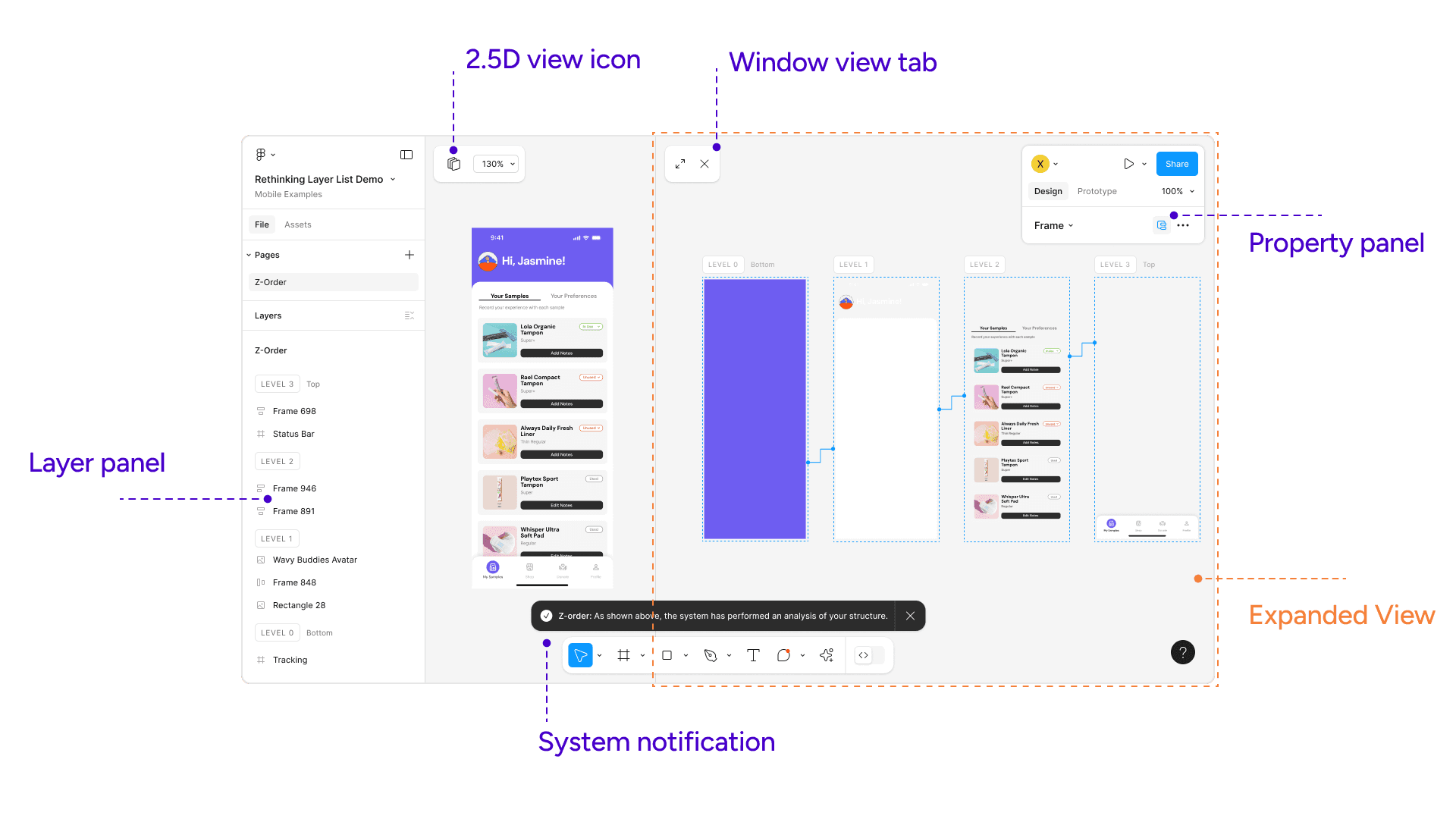
One-click automatic spatial structure analysis
Side-by-side viewports for visual reference
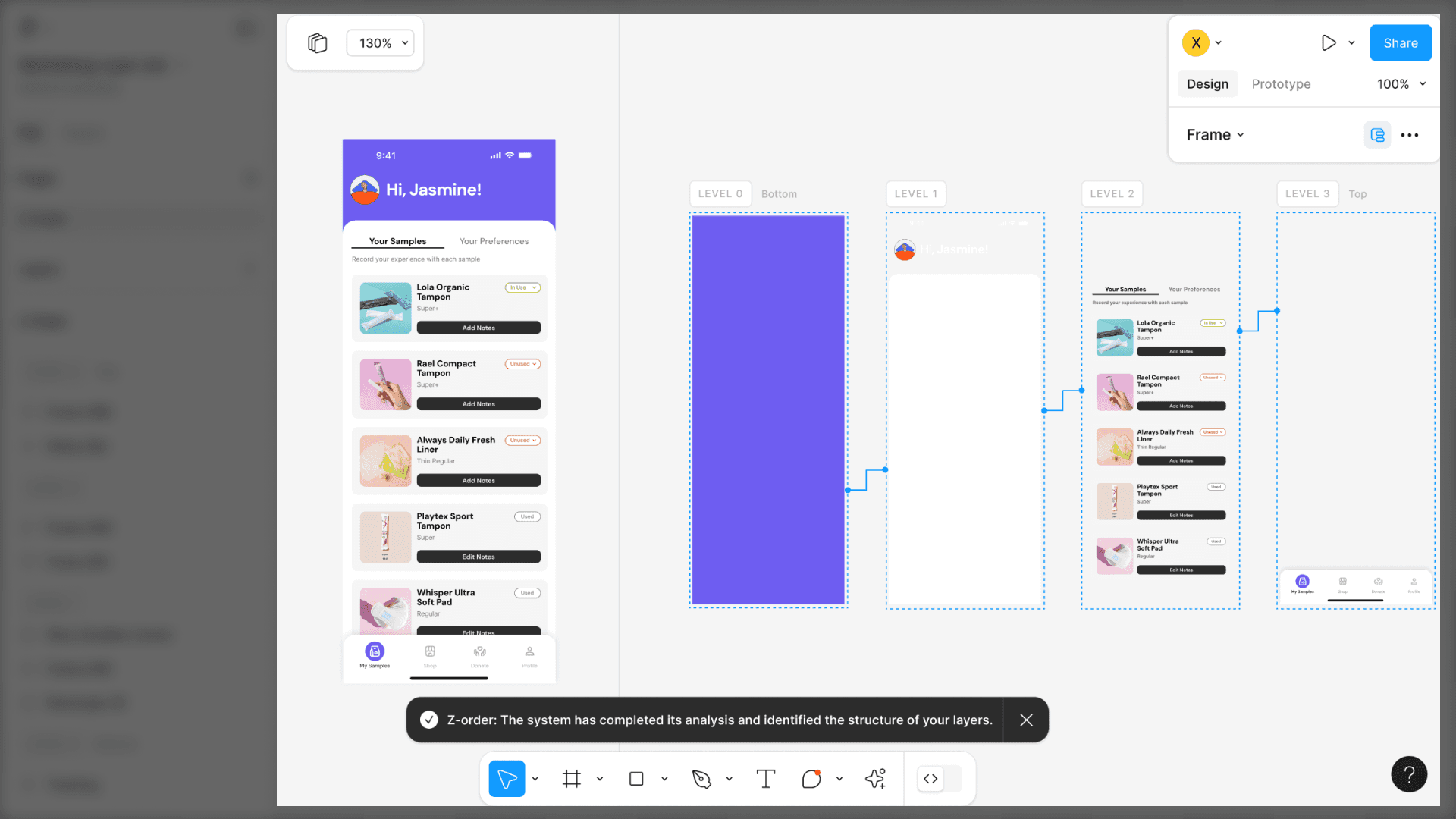
Layer panels organized by spatial hierarchy
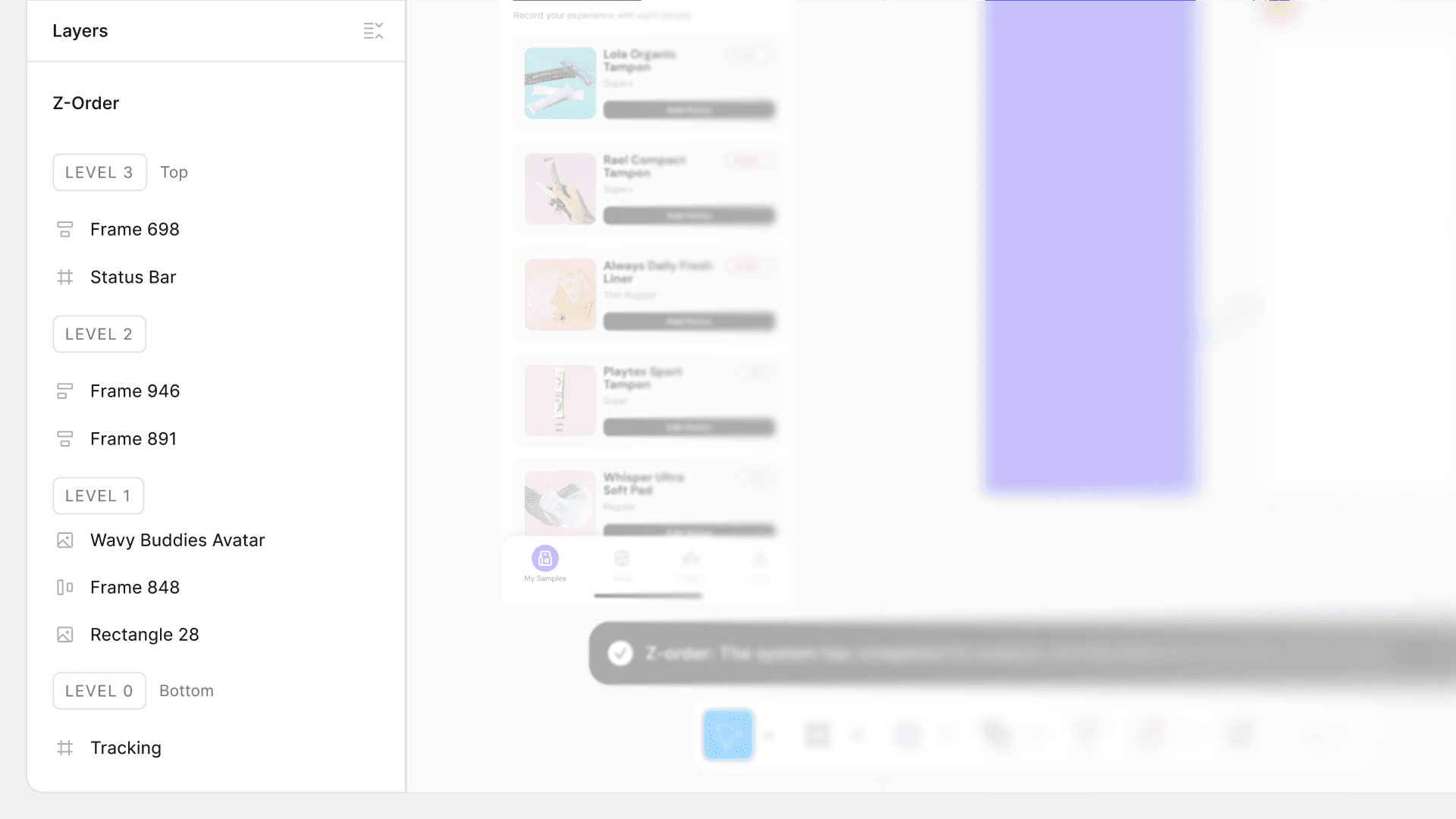
Directly edit spatial structures
Validation
"Love to see research and thinking into this area… Was an honor getting a chance to see Ariel Huang, Linda Xiao, and Xinyi Zhao work and develop their ideas in this area. Great work you all!"
Jacob Miller
Figma Principle Product Manager
"I was happy to mentor this wonderful project…"
Daniel Robbins
Adobe Principle Designer
"Xinyi this is so cool! Super high craft bar"
Leon Zhang
Founder / Design Lead
Context
The objective was to analyze designers’ pain points when managing layers in 2D compositions and to redesign the layer interaction patterns.
Market Research
Current layer panels can be unusable within a large scale files (300+ screens), and designers often need to spend hours on renaming and organizing layers during collaboration or hand-off.
Structured design systems (which rely on disciplined layer hierarchies) can improve developer productivity by up to
30%.
Companies in the top quartile of design performance, defined by their ability to integrate design into technical workflows, outperformed the S&P 500 by
2 to 1
in revenue growth.
Designers in organizations with low "design maturity" (disorganized files/layers) spend roughly 20% of their week simply searching for or recreating lost assets.
20% time waste
Challenge
How might we redesign layer interactions to keep designers in a state of flow longer?
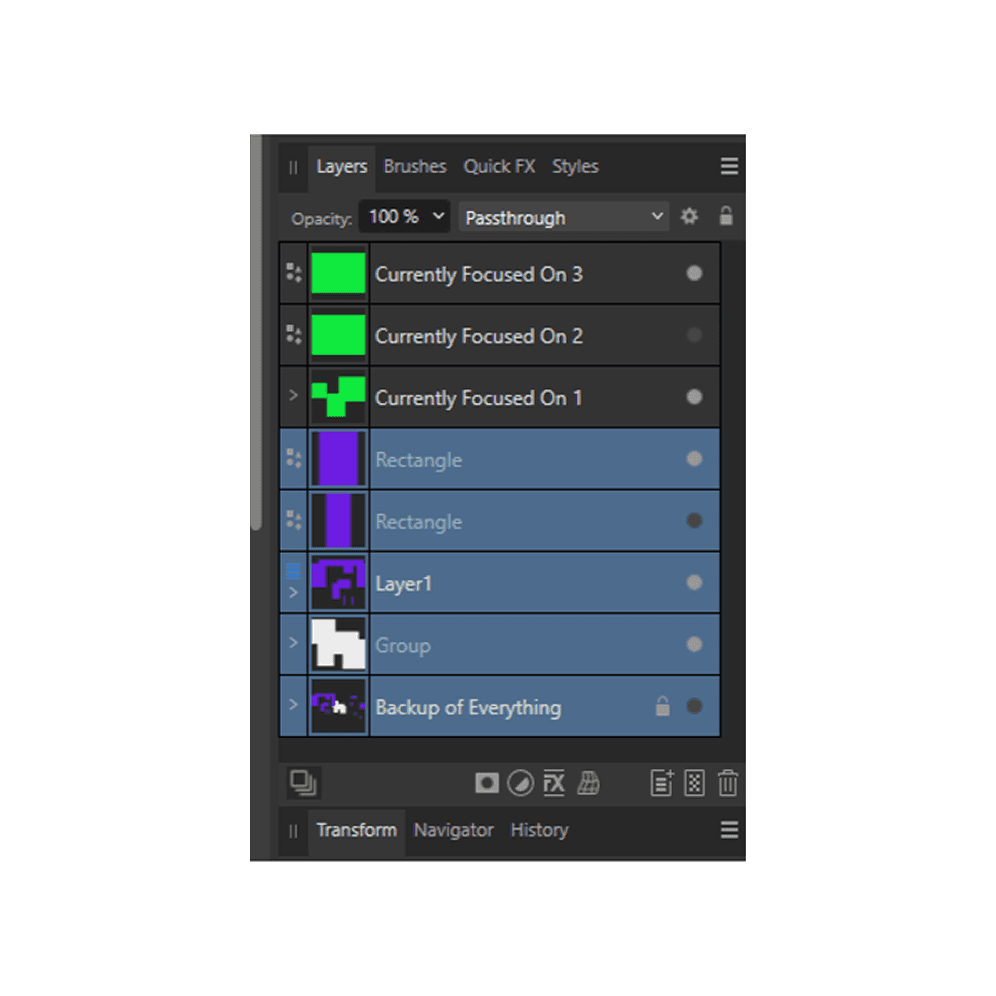
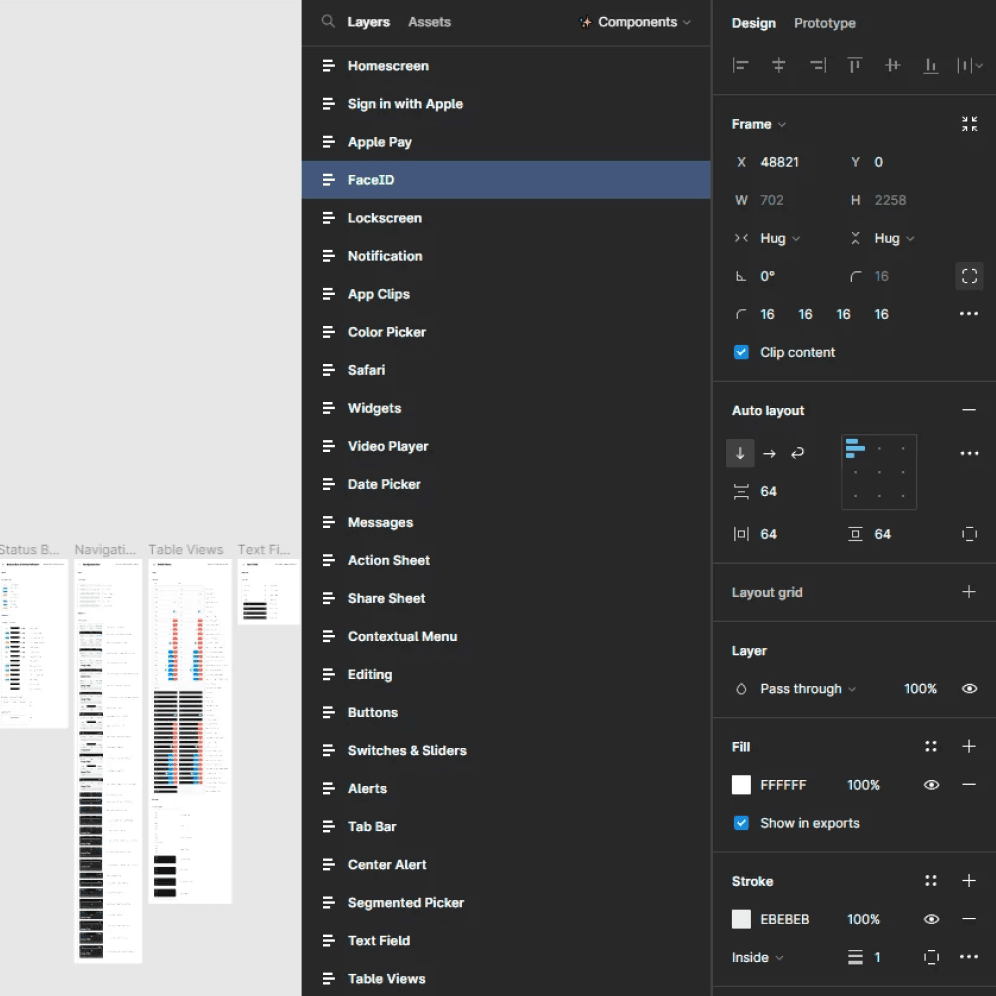
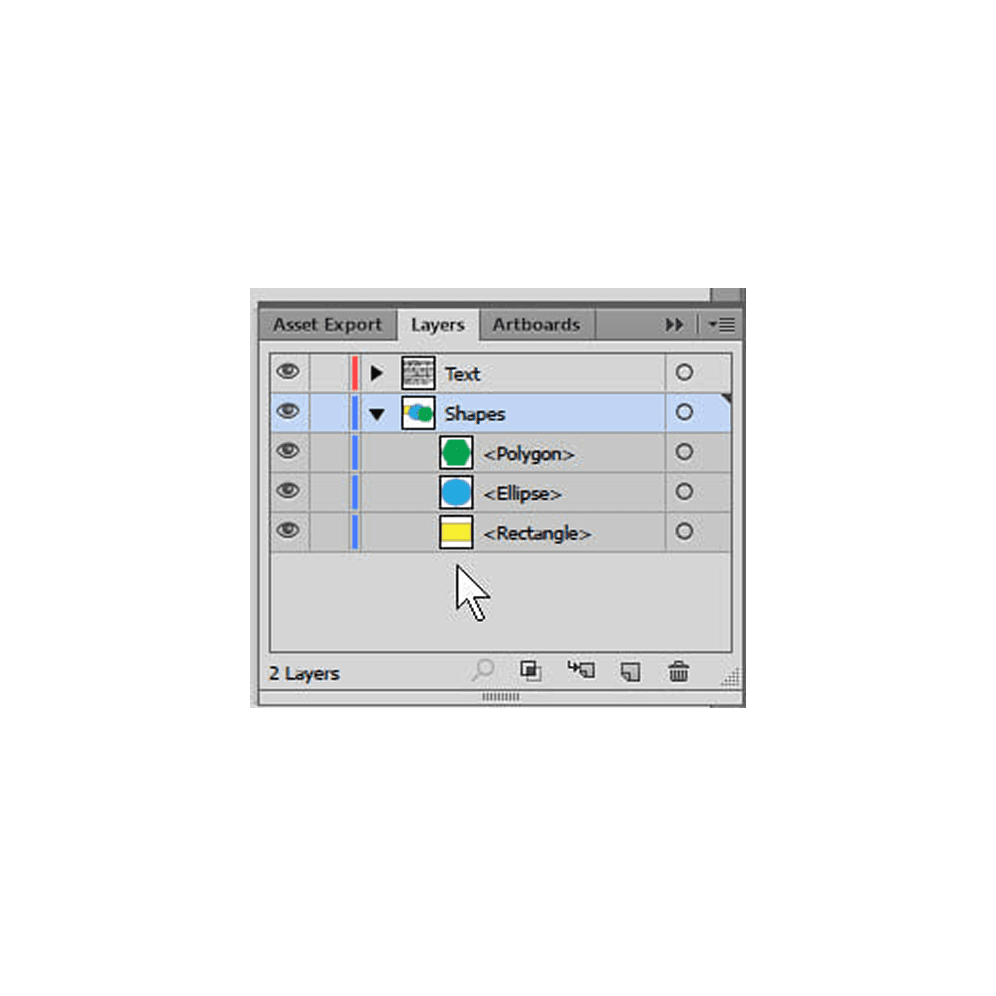
Generative Research
9 Interviews with designers / 60 minute contextual inquiry
Observed participants as they naturally worked on their own design file, followed by a short follow-up interview
Affinity mapping
Analyzed designers’ mental models, workflows, renaming and organizing habits, and perspectives on layer panels...
Assumption
Layer panel can be removed.
Internal Discussion
The competitive analysis revealed that layer panel structures are deeply tied to a tool’s core objective. We decided to narrow down to one creative tool and type of design work.
Consequently, we chose Figma because 8 out of 9 of our research participants used it for creating complex and nested compositions, and its robust design system provided a strong foundation for our intervention.
Providing clarity to collaborators through appropriate layer names requires extra time and can disrupt designers‘ creative workflow.
Evidence
Because designers rely on working memory to build compositions, it’s difficult to interpret layer structures after switching context.
Evidence
Conflict with our assumption
We initially considered moving the layer panel entirely, but research indicates that the layer panel is the “source of truth” even though designers struggle to use it. This proves there is an opportunity to improve layer management.
How might we align layer structure representations with designers’ perception of nested hierarchies?
How might we support designers in communicating key structural and semantic elements of their work?
How might we support designers in efficiently understanding each other's files?
Decision to prioritize
How might we align layer representations with the way designers naturally perceive nested hierarchies?
Focusing on nested layer structures provides more practical and actionable opportunities given the 2-month timeline.
By solving for this fundamental problem within the layer paradigm, we expect the solution to also have an impact on the other two pain points.
Our generative research did not go into enough depth regarding how designers communicate and collaborate on design files.
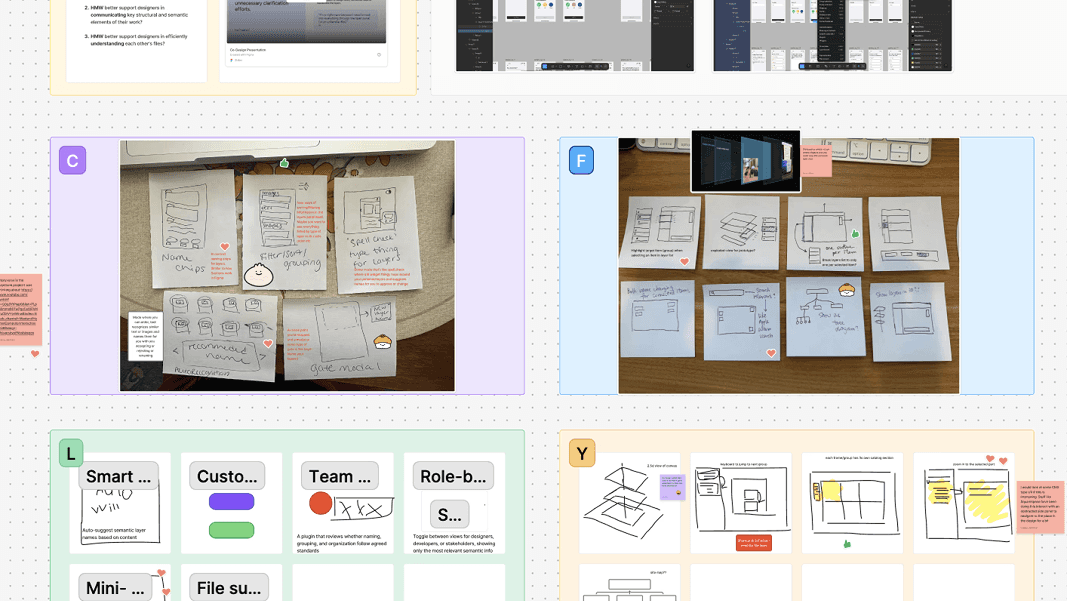
Workshop with designers (participants)
7 participants with a range of design experience
75 mins / 2 group ideation workshops
Crazy 8s as brainstorming method to formulate discussions
56 ideas generated, leading to a deeper understanding of priorities and considerations
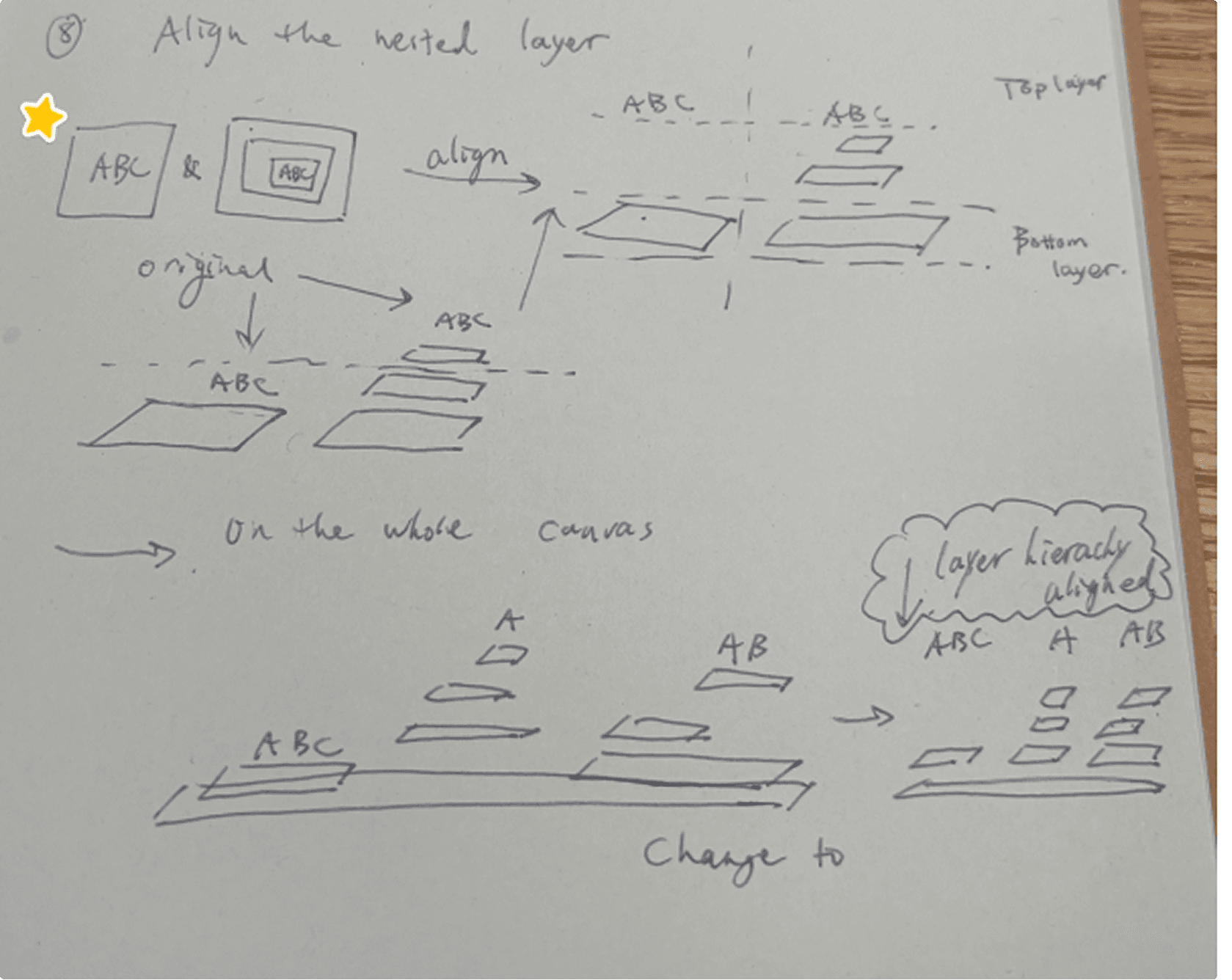
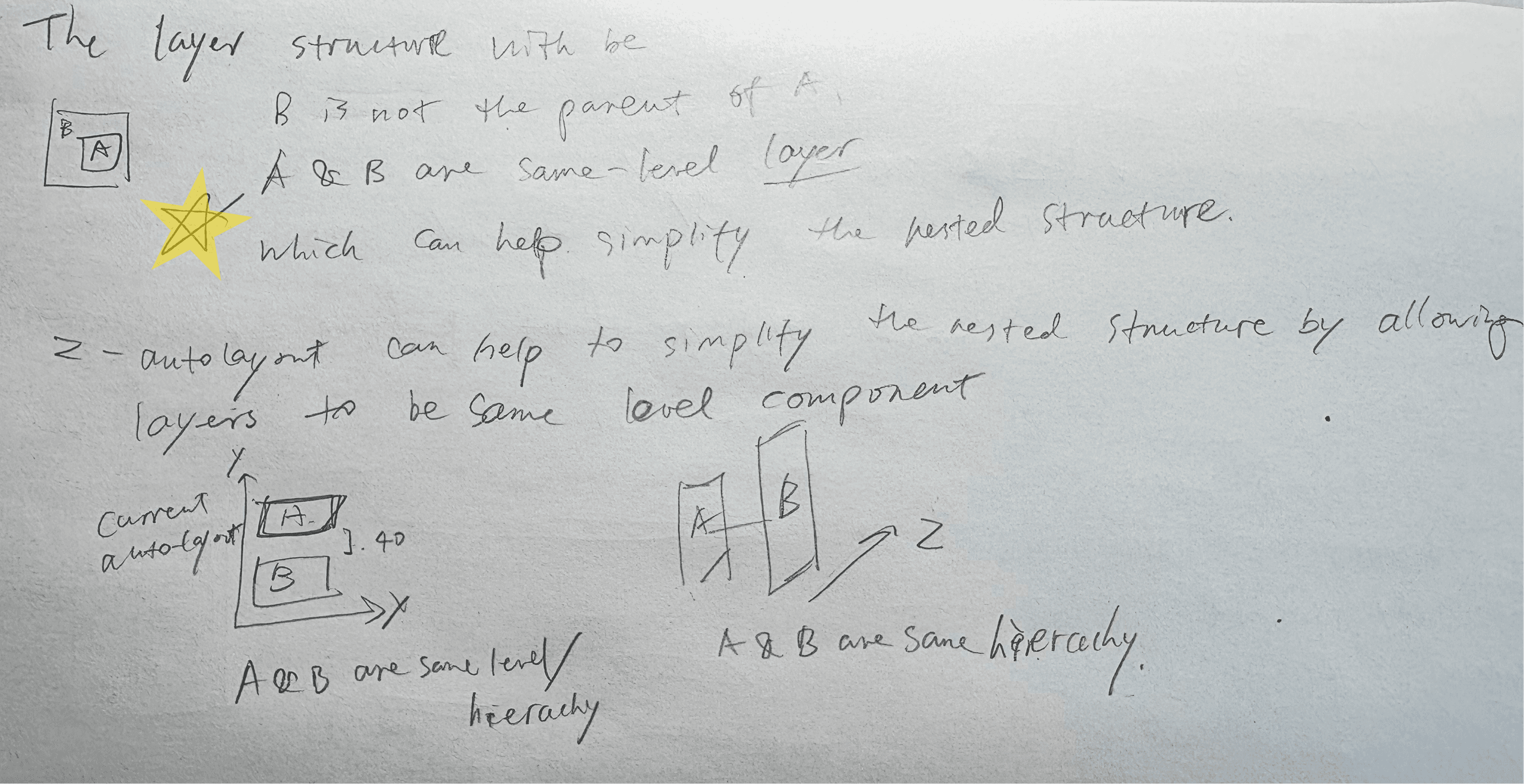
Brainstorming
Rapid 100 sketches ideas
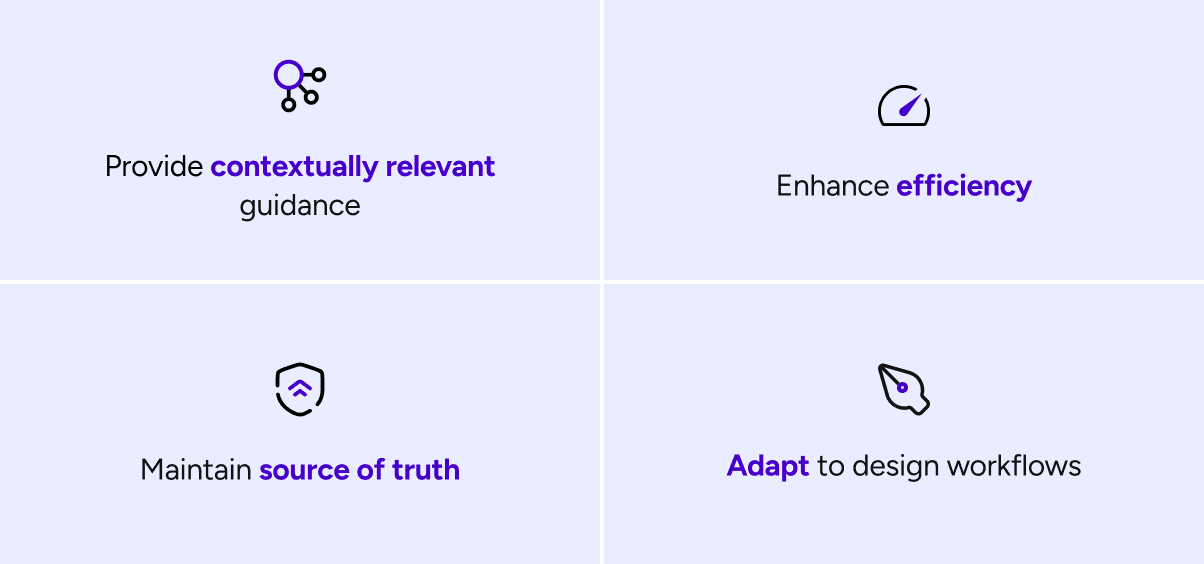
Design Principles
Provide handy, contextual assistance during designer’s workflow
Sustain trust in the “source of truth” and enabling confident actions
Rarely require significant behavioral change from designers and collaborators
Improving efficiency to accurately understand and manipulate layers
Foster a sense of joy to keep designers excited and engaged in their daily work
Prototype
As our concept developed in further, we began to wonder:
Should it be a native feature or a plugin?
Initially, we leaned toward a plugin to create an MVP and work within technical constraints. However, we ultimately chose a native integration, as certain editing interactions are simply not possible in a plugin. Forcing the feature into a plugin would compromise the key interactions we wanted to provide. While plugins work well for small, isolated steps, our goal is to support the entire workflow within one seamless experience.
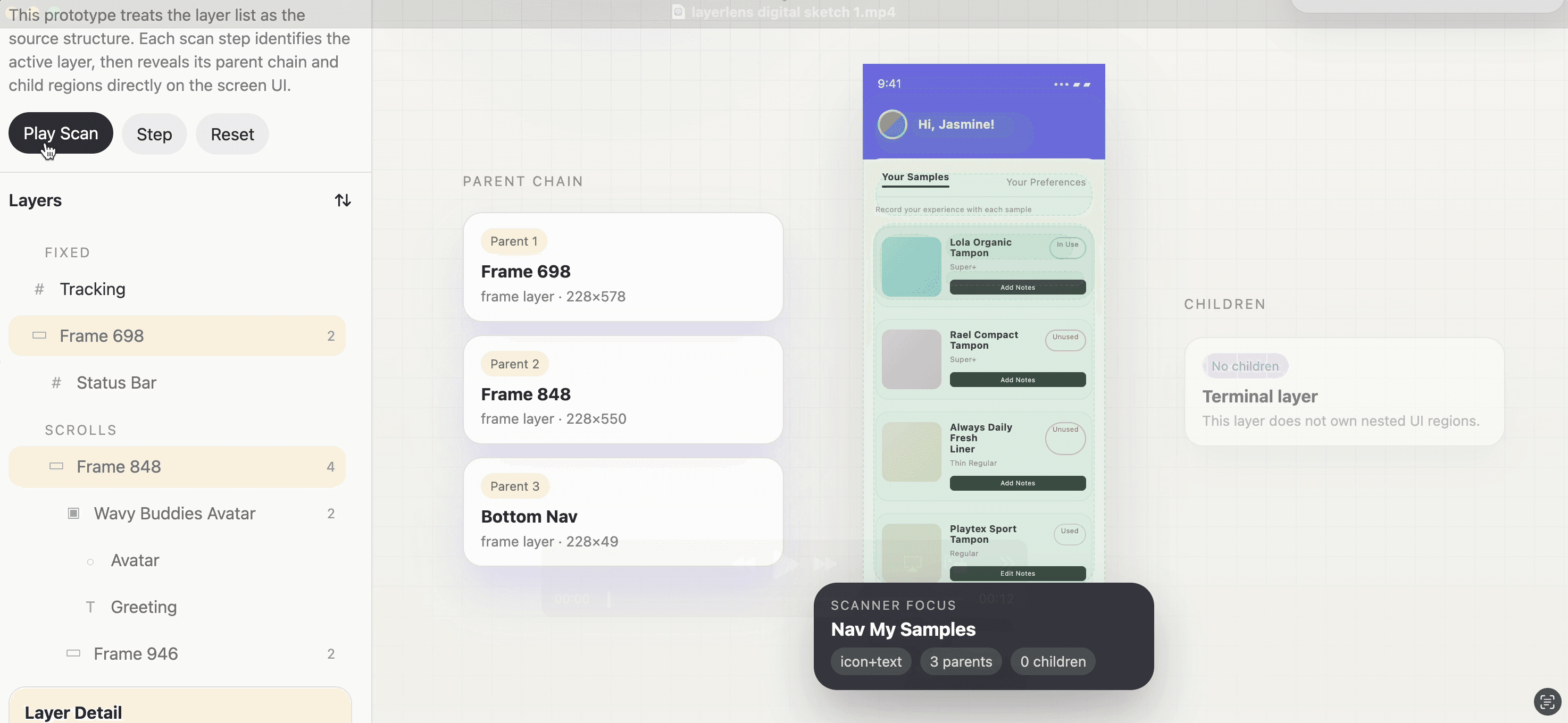
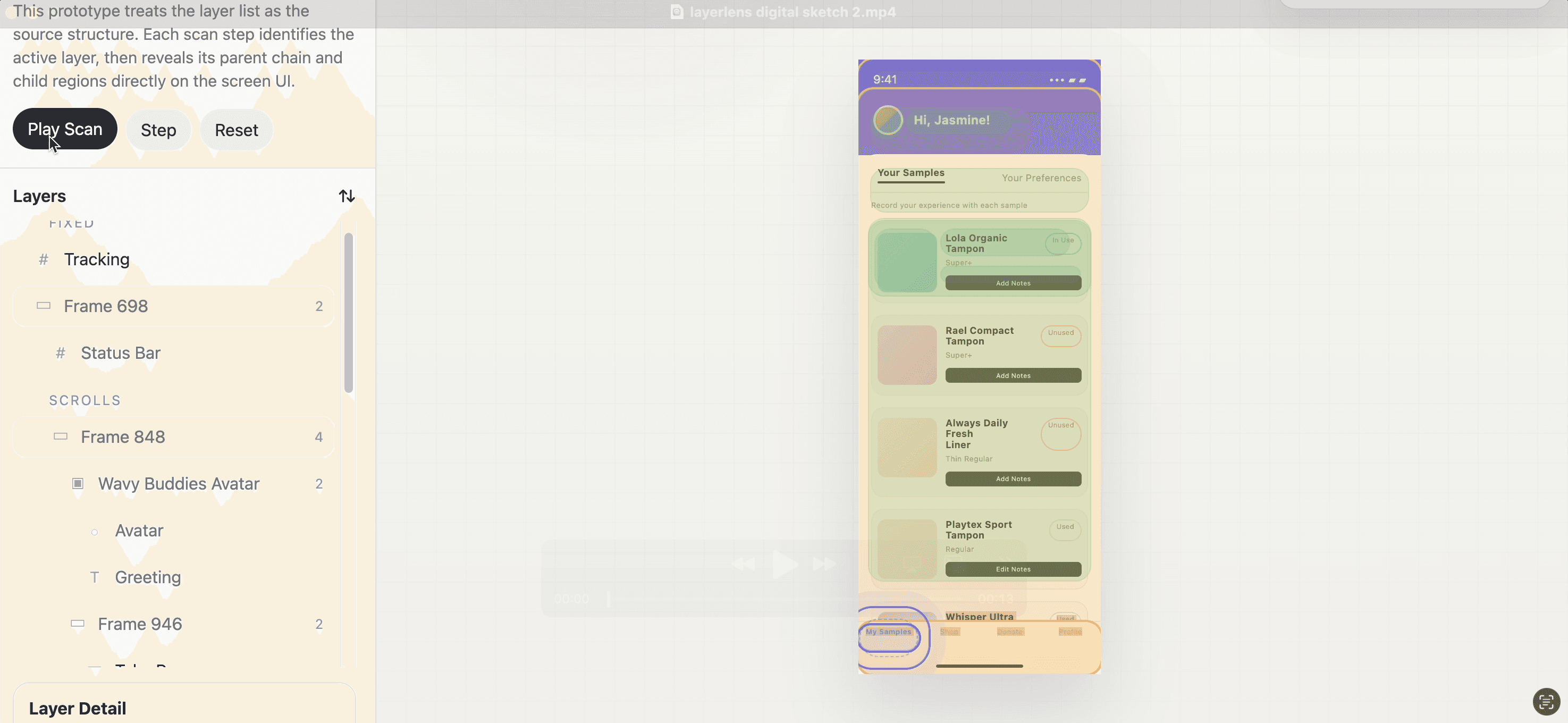
We used various methods to prototype rapidly, including prompting AI, transforming hand sketches transforming into digital interactions, and holding daily standups to discuss logic and share feedback.
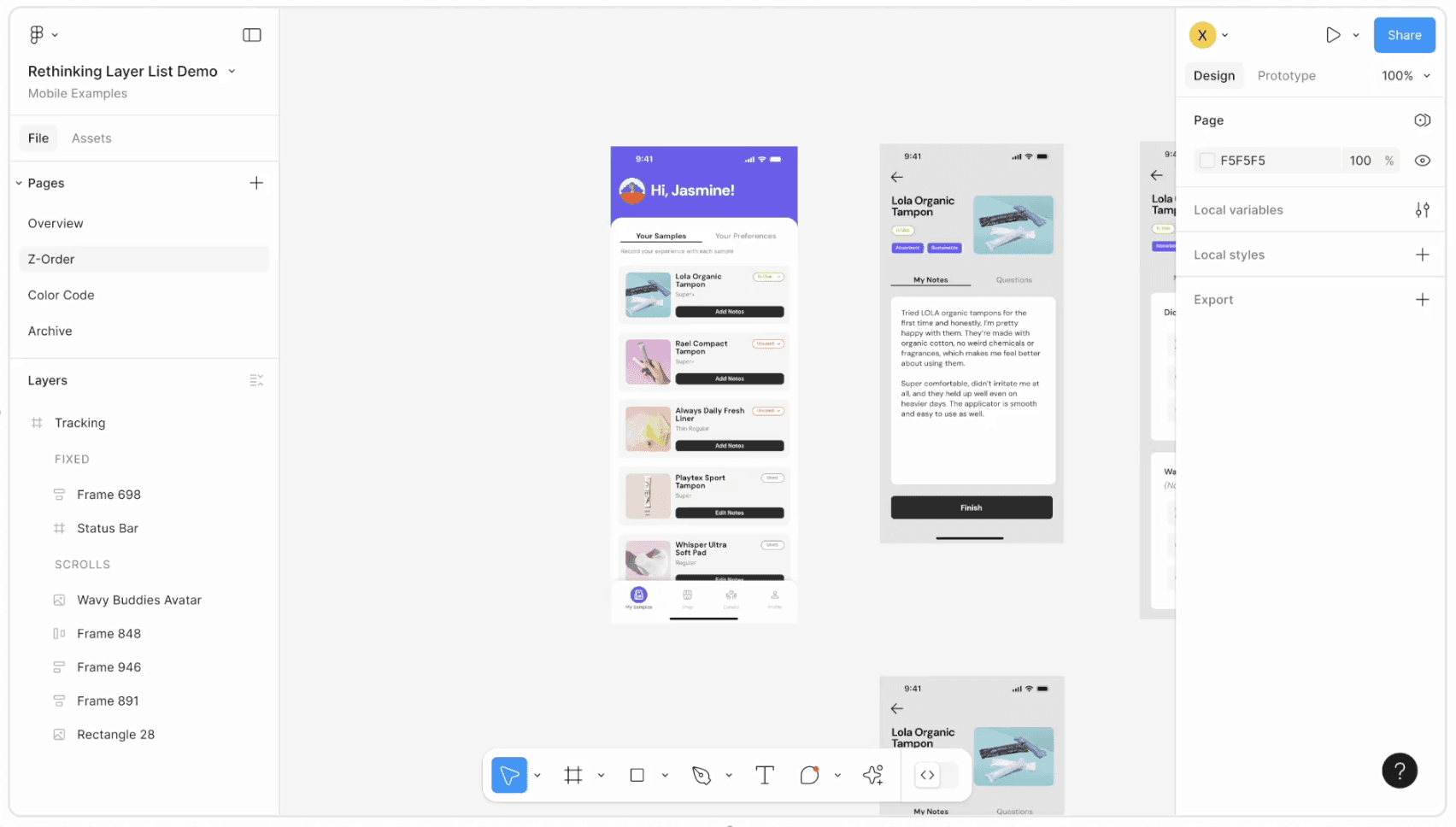
Digital Sketch 1:
Nested layer scanner, version 1
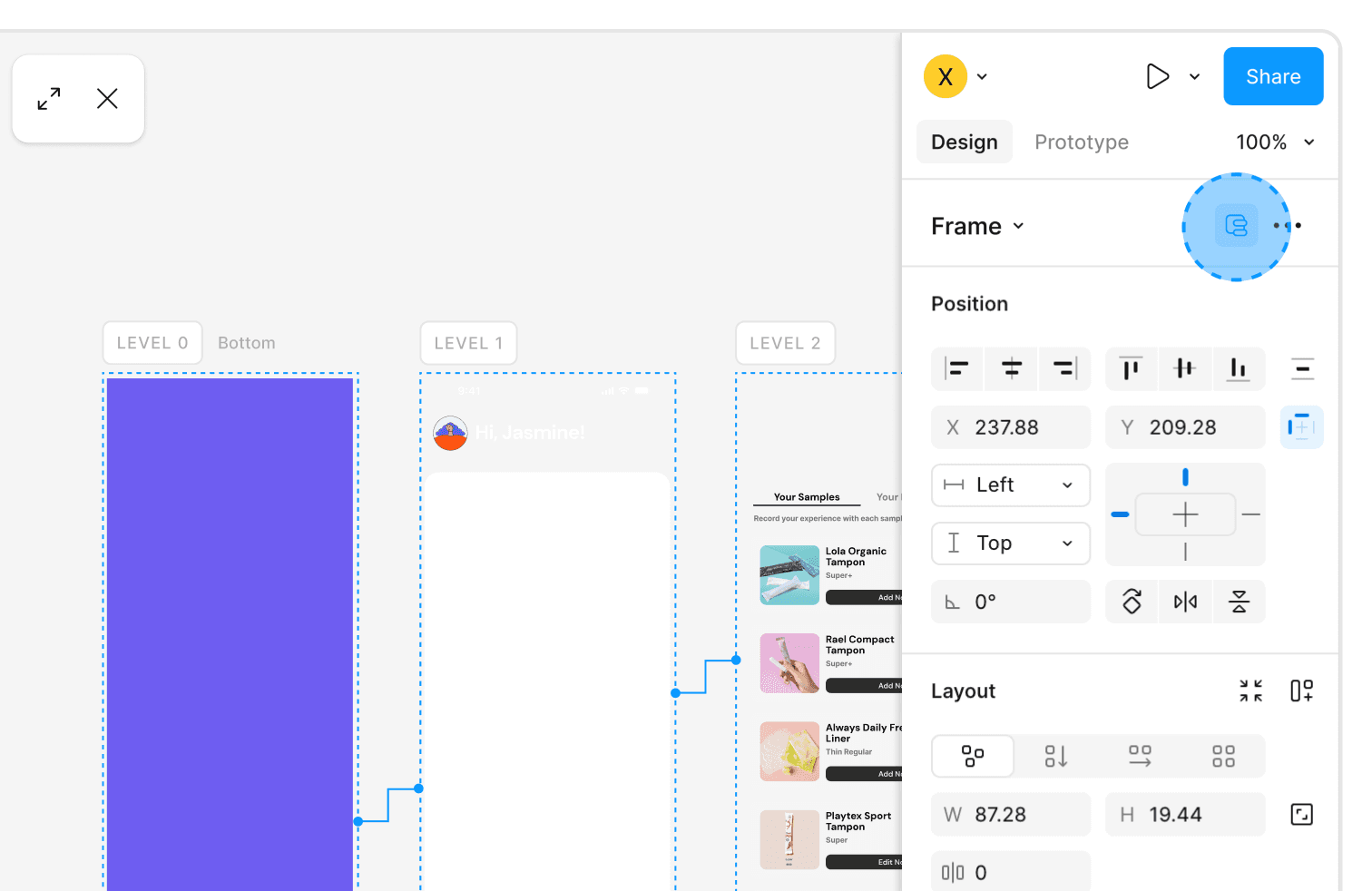
Interactive Feature 1:
Expand screens by levels
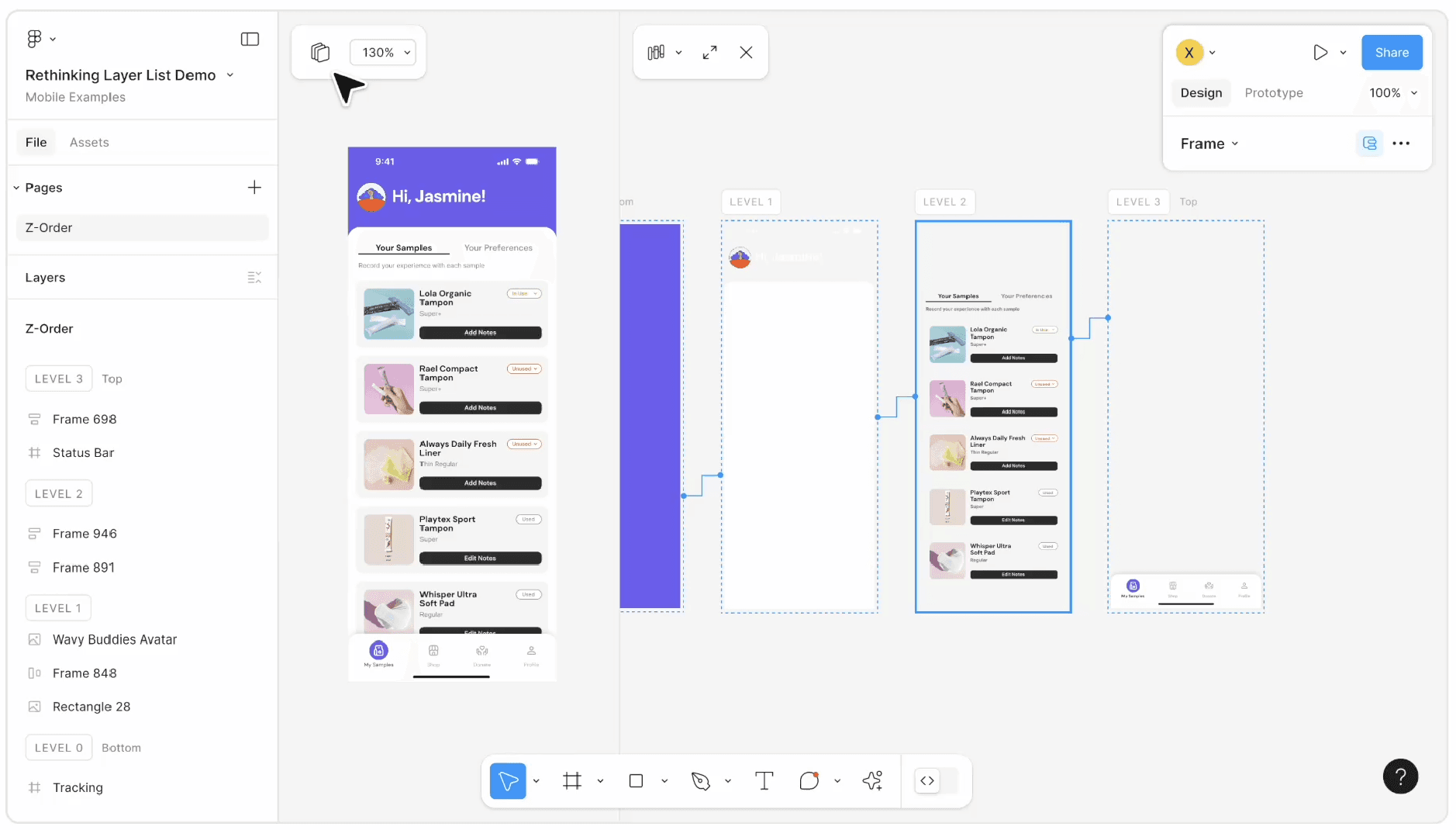
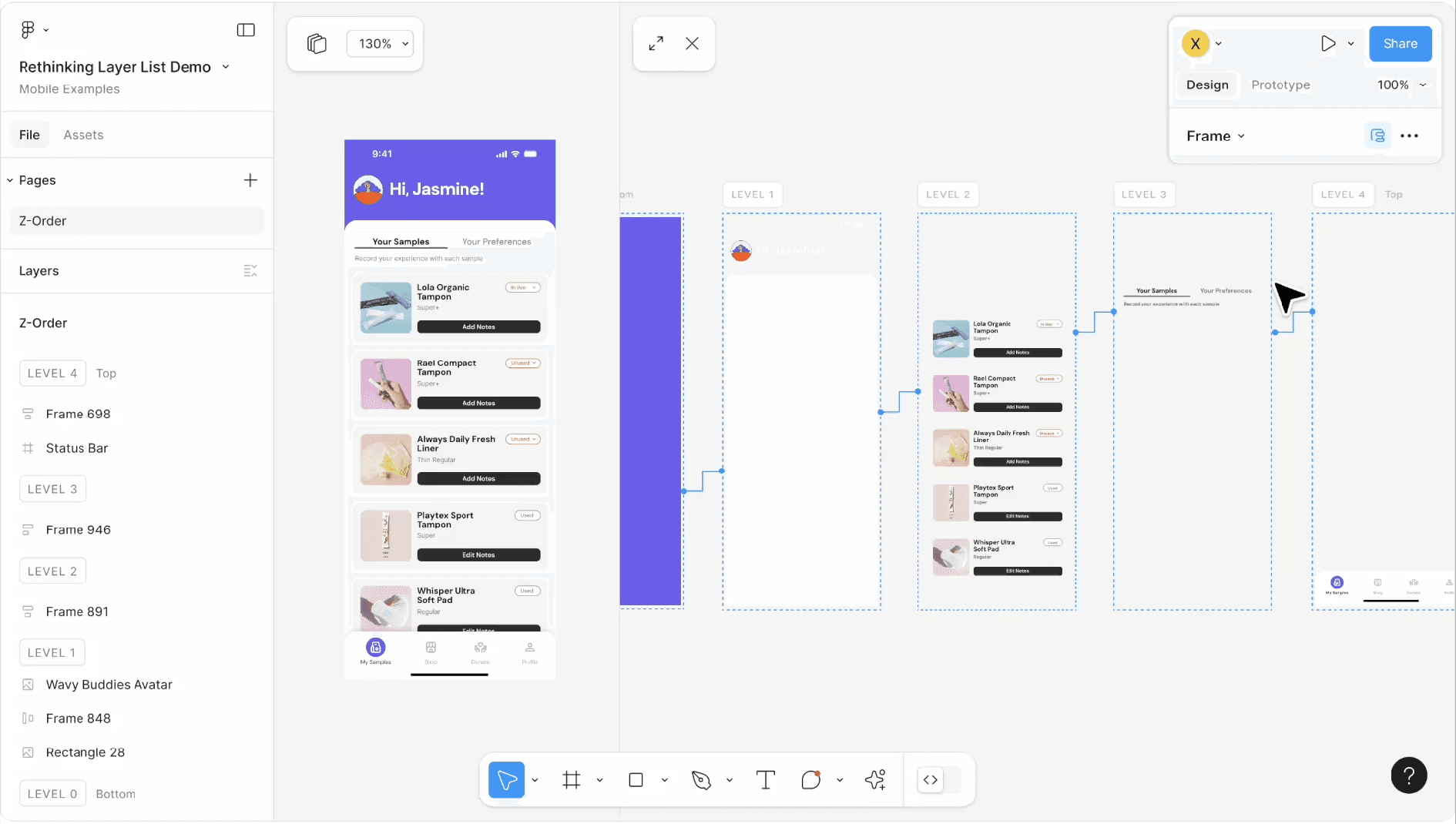
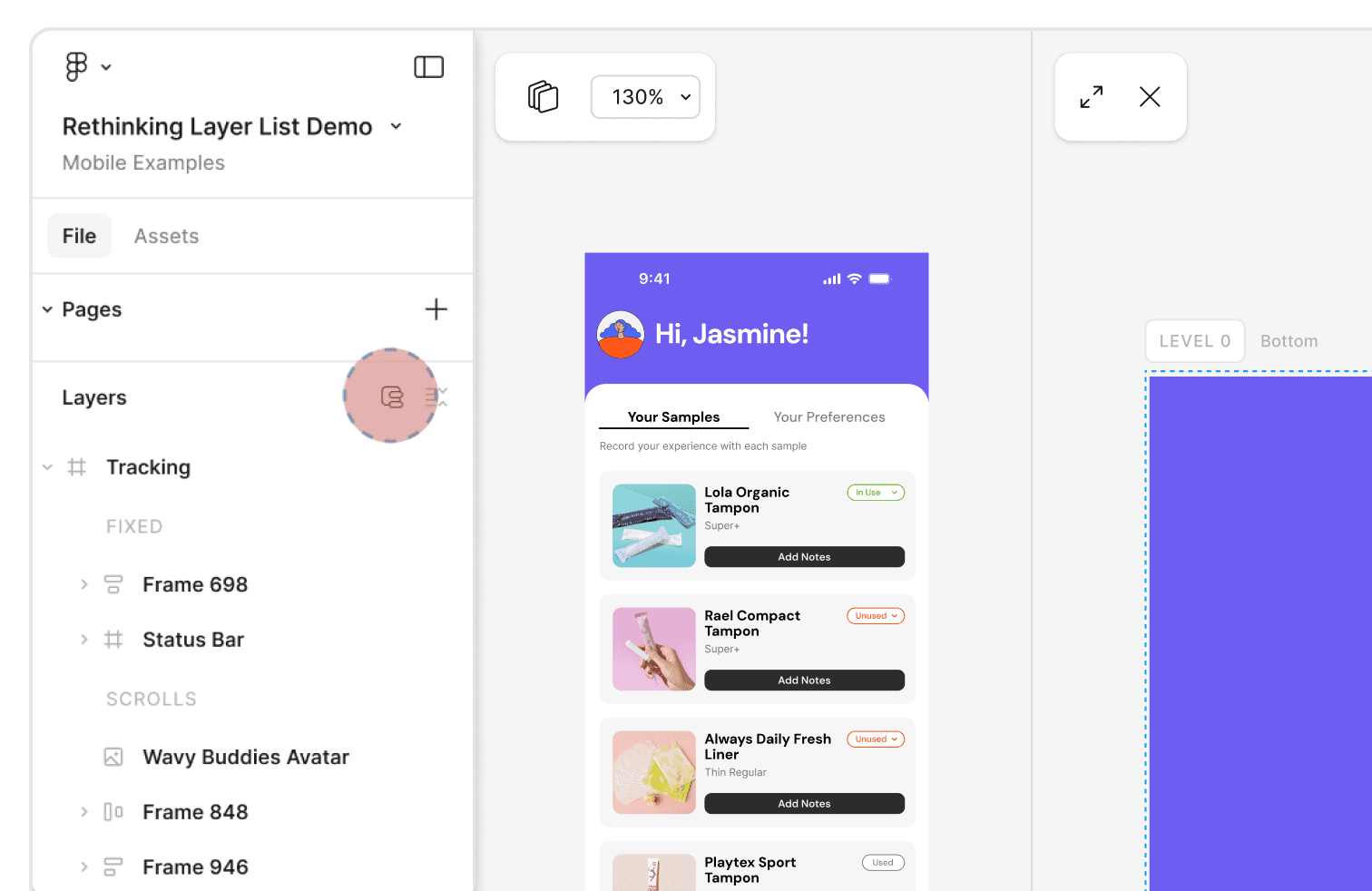
Icon Placement Version 1:
Placed the icon parallel with the Auto-layout icon.
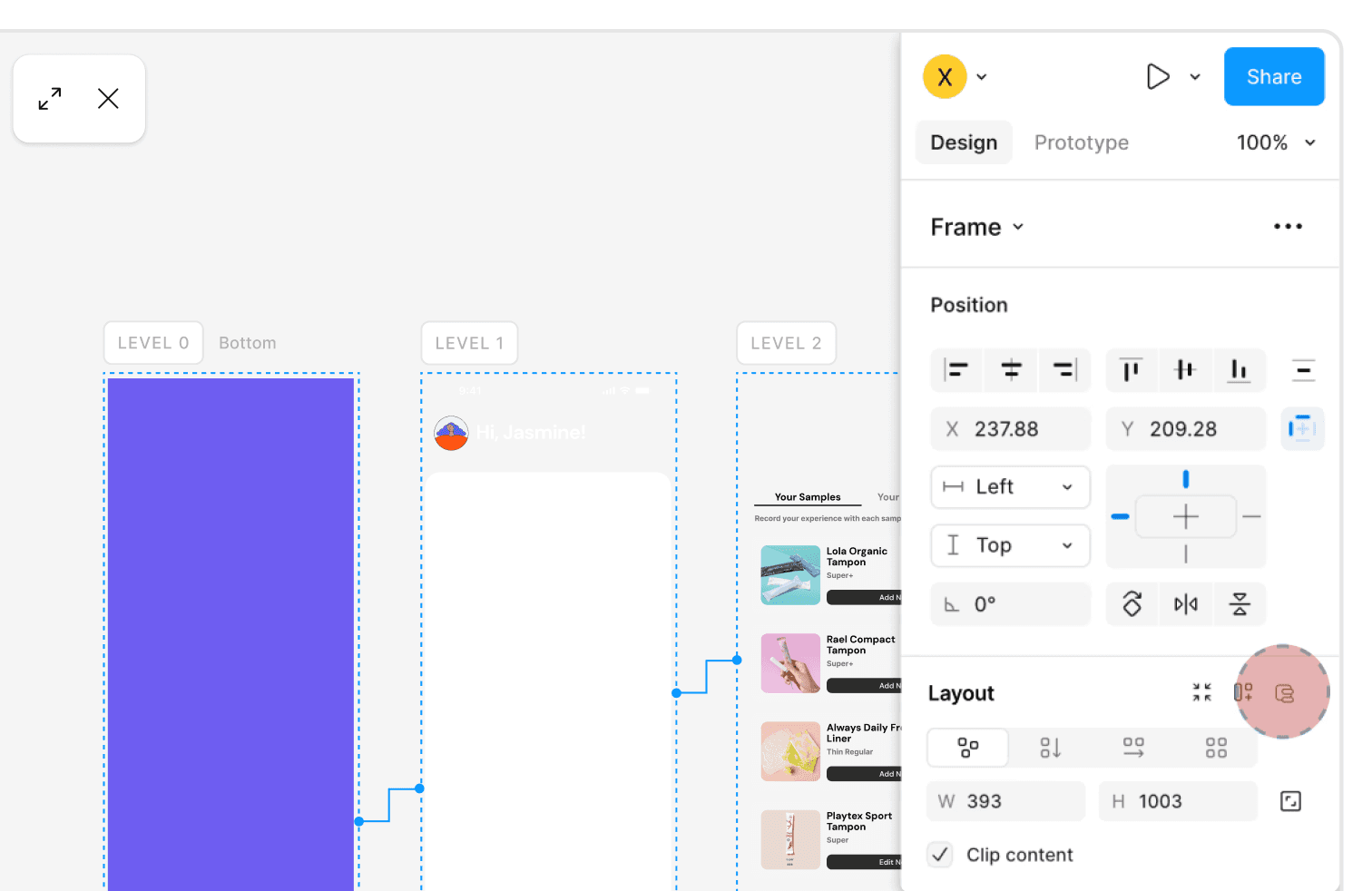
LayerLens Final Interaction
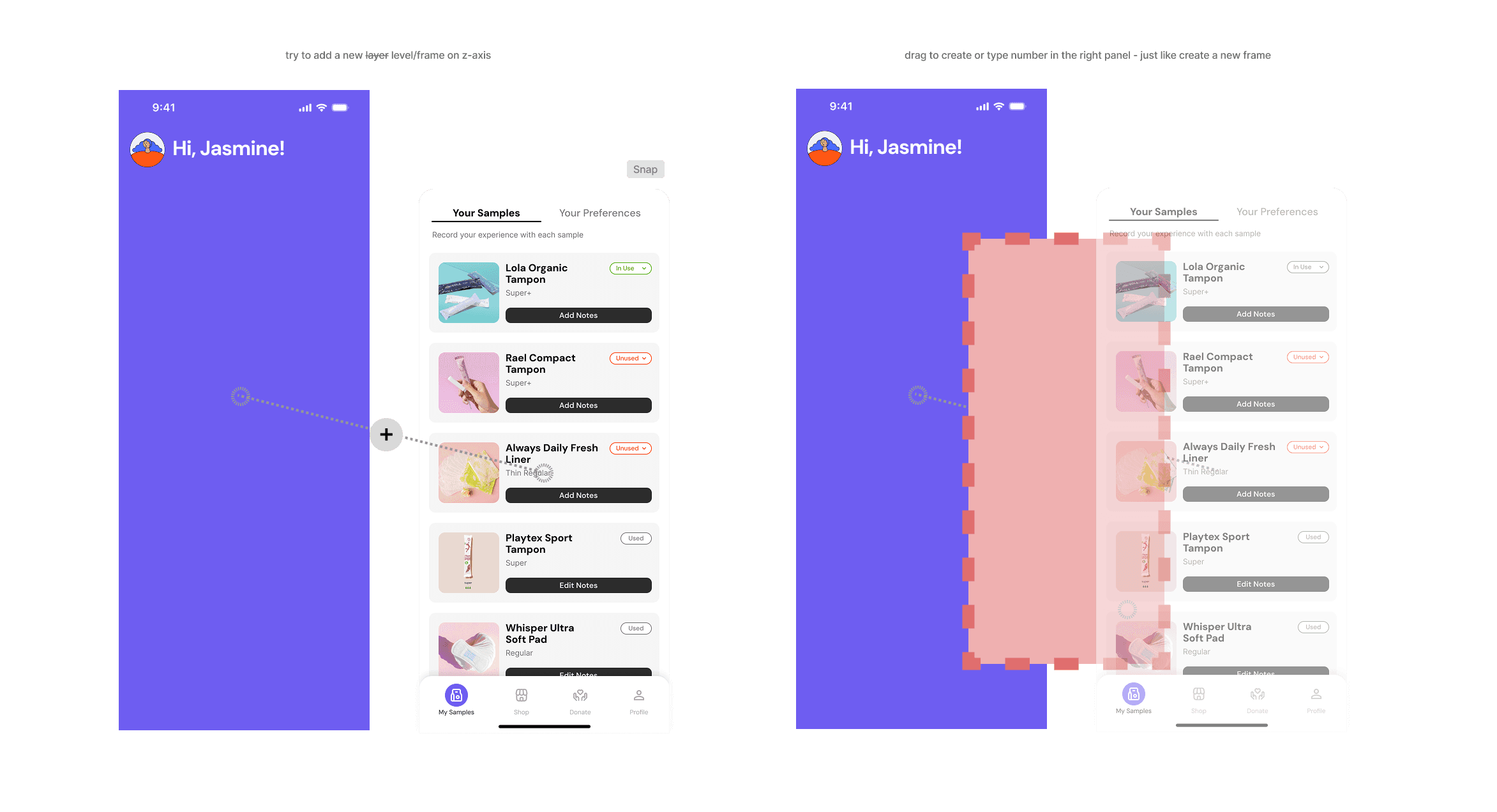
After clicking the LayerLens icon in the Properties panel, the layer structure separates automatically. Users can adjust the positions of the layer’s spatial hierarchy and also add a blank layer. The new layer always remain the same size as the original parent frame, since none of its child elements can exceed the size of the parent layer.
Epilogue
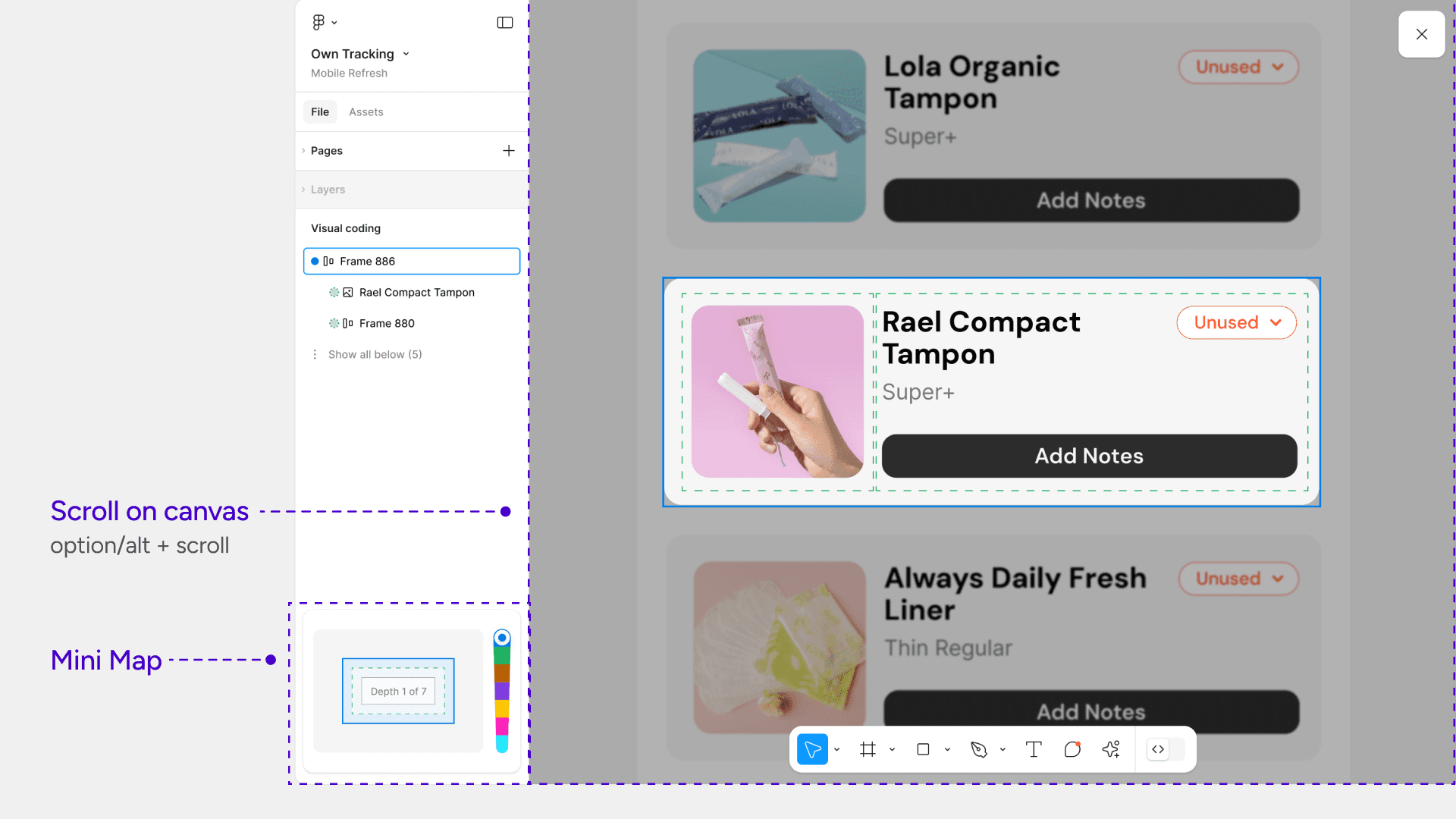
We also developed a separate feature developing called Visual Coding, which was not led by me. Visual Coding helps users understand deep nesting at a quick glance.
If this entire feature were to be implemented, more time would be needed to determine the technical logic behind automating the spatial hierarchy levels. This would require a 3–5 month workload for an engineering team, which is a significant resource consideration.
Final usability testing with our original 9 research participants showed that every designers were able to locate nested layers more efficiently using the LayerLens prototype compared to the standard list view.
To connect the design solution to business impact, I defined success across task completion, retention, and satisfaction.
Task completion would measure whether designers can navigate and manage complex layer structures faster and with fewer errors.
Retention would show whether the feature becomes part of repeated workflows in complex or collaborative files.
NPS and satisfaction would reveal whether designers feel more in control, less interrupted, and better able to stay in creative flow.
Together, these metrics translate reduced cognitive interruption into measurable product value:
improved productivity, deeper engagement, and stronger user trust.
Last but not least, shout out to my hard-working teammates Ariel and Linda, and our Adobe mentor Dan!